Introduction
Are you migrating from SAP PO to Integration Suite and missing the JDBC Sender Adapter for various integration scenarios? If so, I have just the solution for you! In this article I will show you, how to simulate a JDBC Sender Adapter using a smart design approach. My method allows both scheduled and manual triggering (without redeploying your IFlow). I’ll guide you step by step through my implementation to enable you to do the same on your use case.
Core Insights
You can simulate a JDBC Sender Adapter by configuring the Request/Reply step and incorporating your needed triggers.
My Step-by-Step Implementation
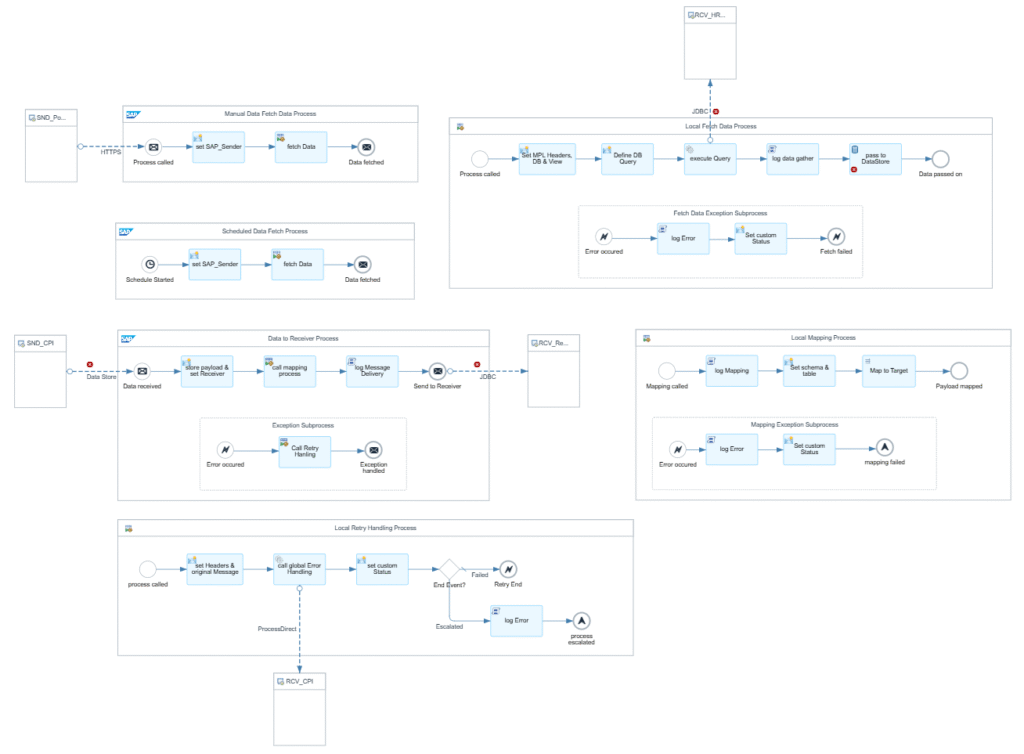
Part 1: Polling and Decoupling
- Scheduler & Manual Polling
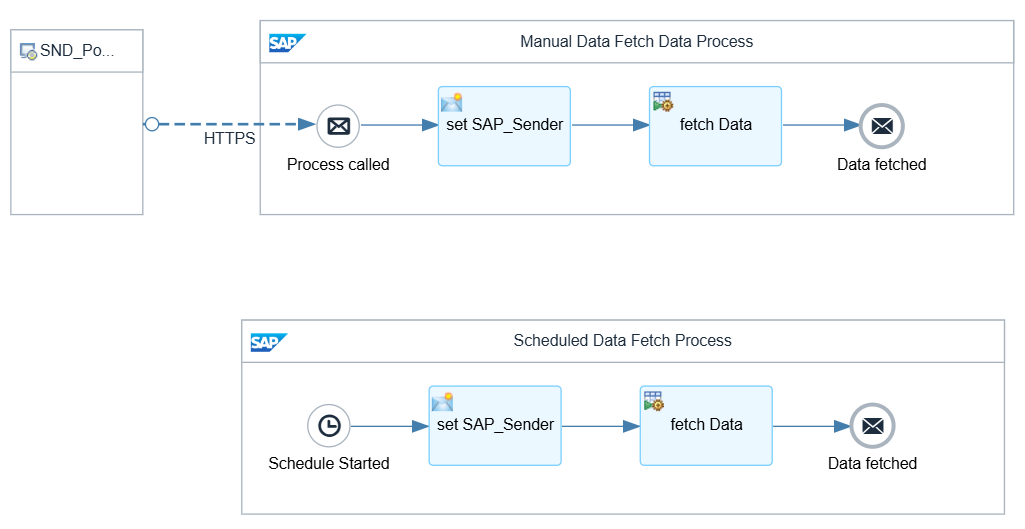
- I created two entry points for the integration flow:
- A configurable scheduler for periodic database polls.
- An HTTP endpoint for manual polling via Postman GET—perfect for testing or urgent triggers.A configurable scheduler for periodic database polls.
- I created two entry points for the integration flow:
- Polling the Sender DB
- Used a local subprocess with a Request/Reply step to fetch data from the source database.
- The fetched data is safely written to a DataStore or a JMS Queue (choose what suits your tenant/scenario) for decoupling and most importantly(at least for me): Retry handling.
SELECT * FROM ${property.JDBC_Schema}.${property.JDBC_Table};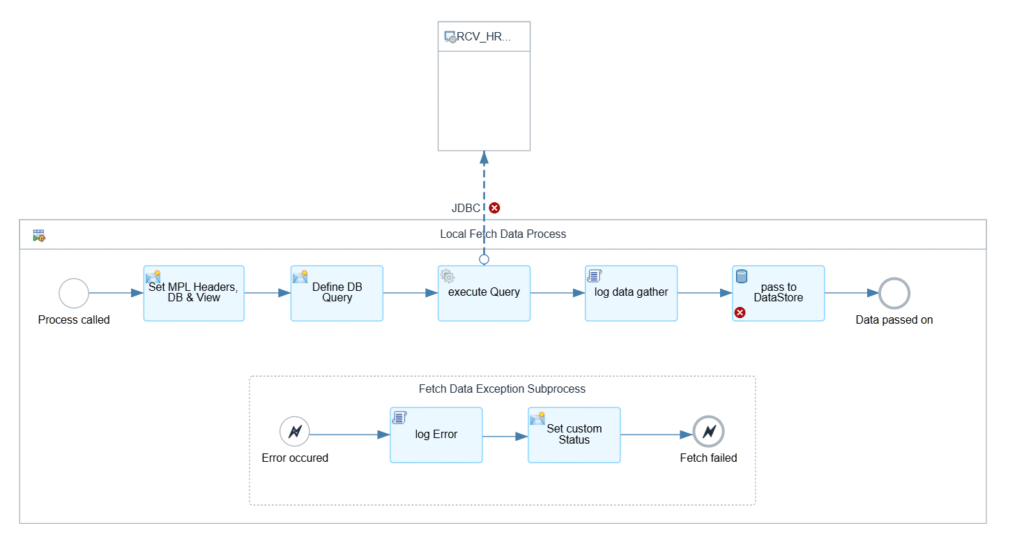
Part 2: Mapping and Writing to Target DB
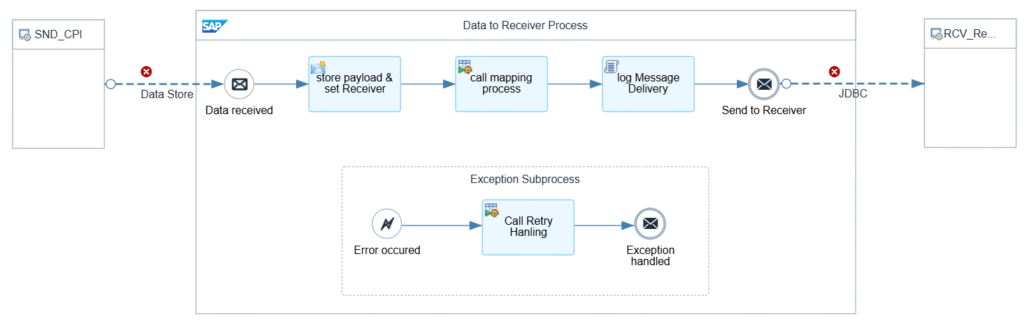
- Reading from DataStore/JMS Queue
- In a second integration process, the data is read from the queue or store.
- Exchange the sender adapter as needed.
- Message Mapping in a Local Subprocess
- I placed mapping logic inside a local subprocess to isolate errors.
- If mapping fails, it sets a custom status
MappingFailed. - Mapping errors cannot be retried, so the message escalates directly.
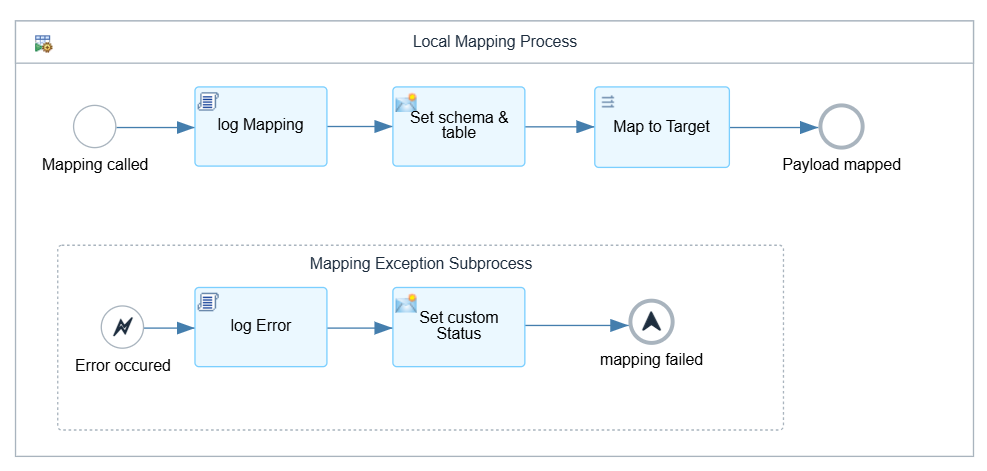
- Insert into Target DB
- After a successful mapping, data is inserted into the target database.
Error Handling
Errors are sent to a global error handling process, which checks the Nr of retries against the configured max and then yields an end event.
- Automatic retries is triggered with an Error End.
- Max retries reached, the message was sent to a Dead Letter Queue (DataStore) and escalates.
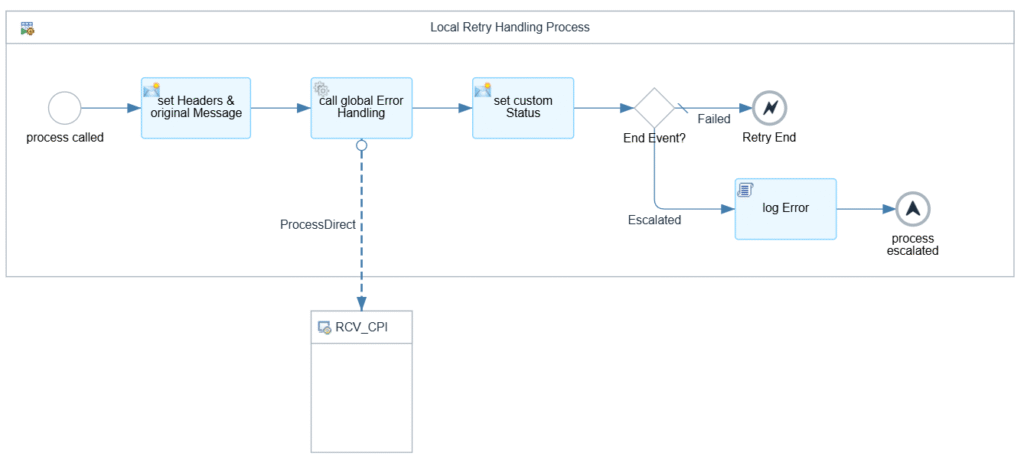
- Mapping errors escalate instantly. They need to be resolved manually.
Recommendations for Integration Developers
- Decouple processes using DataStore or JMS Queue; which makes error handling and retries much easier.
- Design your flow to be manually triggerable (e.g., via Postman or another IFlow) which comes in handy in an error case or for testing.
Personal Reflection
Honestly, I was surprised at how well this workaround performed, especially in terms of error handling and decoupling. While it’s not as plug-and-play as a native JDBC Sender Adapter in PO, I created a “template” IFlow based on this concept that I can reuse wherever needed. I have already migrated multiple scenarios using this approach, and it is almost as plug-and-play as in SAP PO. If you are interested in the template or have any questions regarding this topic, feel free to contact me!
SAP Community: DIY JDBC Sender Adapter for SAP Integration Suite
Leave a Reply